 Free Shipping on US orders above $49









What You Need to Know
What Is a Rack Cooling Fan — and Why Do You Need One?
If you have audio, video, or networking equipment mounted in a standard 19” rack, you already know those components generate heat. Amplifiers, receivers, streaming devices, and network switches all produce warmth during normal operation. When that heat builds up inside an enclosed rack, it can cause performance problems, random shutdowns, or even permanent damage over time.
A rack cooling fan is a simple, effective solution. It mounts directly into your rack just like any other piece of gear and actively moves air to keep temperatures in a safe range. The AC Infinity CLOUDPLATE T9 is an exhaust-style unit — meaning it pulls warm air out of your rack and pushes it away. For the best results, AC Infinity recommends mounting it near the top of your rack, where heat naturally rises and collects.
Smart Thermostat Control That Adjusts Itself
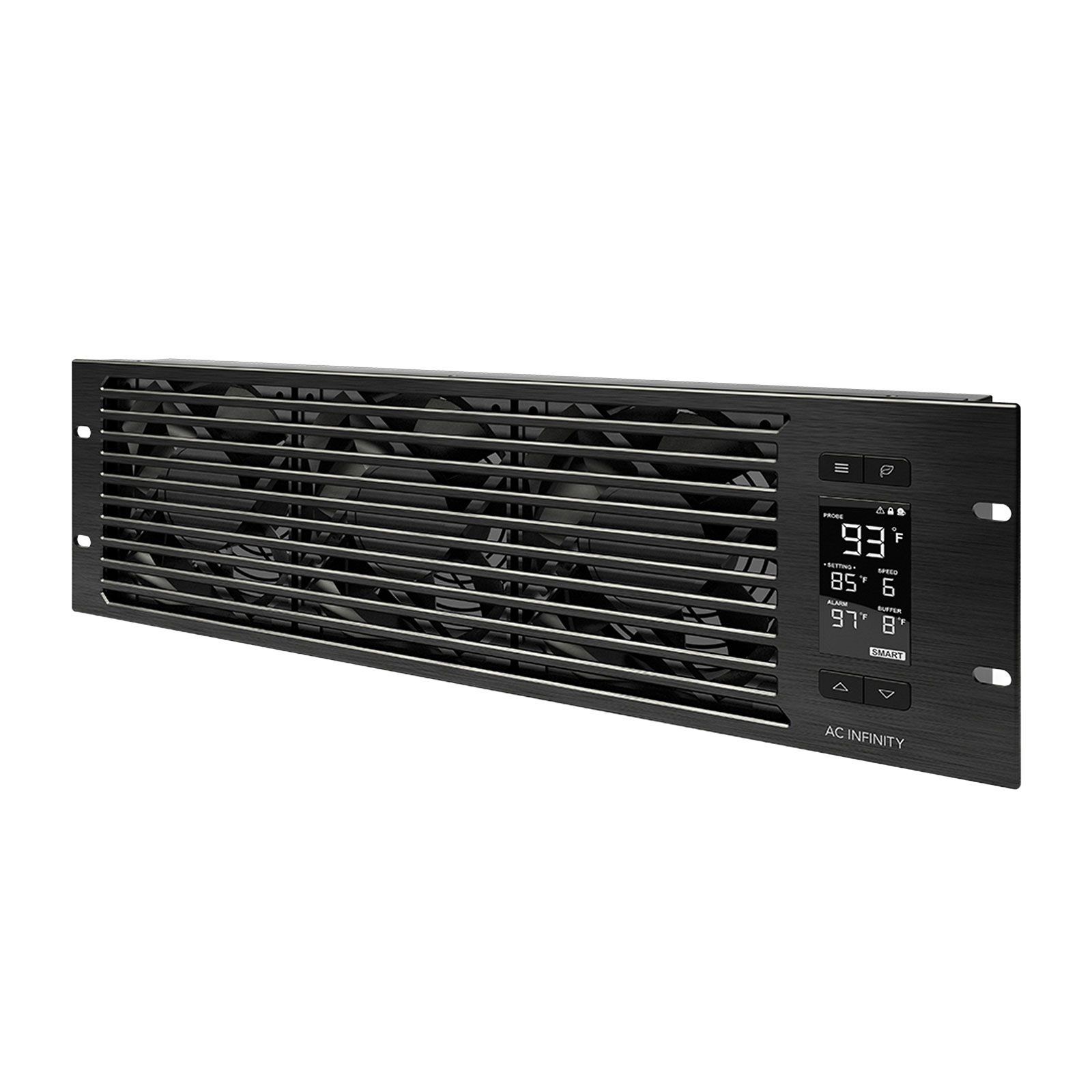
What sets the CLOUDPLATE T9 apart from basic fan panels is its built-in LCD controller with programmable thermostat. You can set a target temperature, and the system will automatically adjust fan speed to maintain it. AC Infinity calls this their SMART mode — the fans speed up when things get warm and slow down (or stop) when temperatures are comfortable.
You also get six manual fan speed settings if you prefer to set it and forget it. The controller includes alarm alerts that warn you if temperatures climb too high, fan failure triggers that let you know if something stops working, a power-saving mode, a display lock to prevent accidental changes, and backup memory that remembers your settings if power is interrupted. The LCD display offers three brightness levels, so you can dim it for a dark listening room or brighten it for a server closet.
Built to Be Quiet — and Built to Last
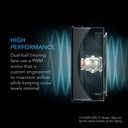
One of the biggest concerns with any cooling fan in an audio environment is noise. The CLOUDPLATE T9 addresses this with custom-engineered fans driven by PWM motors (pulse-width modulation — a technology that lets the motor run more smoothly and quietly than conventional designs). At the lowest speed setting, the system produces just 12 dBA of noise, which is essentially inaudible in a typical room. Even at full speed, it tops out at 38 dBA — comparable to a quiet library.
The three fans inside the T9 use dual-ball bearings rated for an estimated 67,000 hours of operation (roughly 7.6 years of continuous use). Dual-ball bearings also allow the unit to be mounted either horizontally or vertically, giving you flexibility in how you configure your rack. The entire housing is made from solid aluminum with an anodized, light-brush finish. The corners are CNC-machined and the edges chamfered, giving it a clean, professional look that blends in with high-end audio and video equipment.
Expandable Cooling for Larger Racks
The CLOUDPLATE T9 occupies three rack units (3U) of space and delivers between 60 and 300 CFM (cubic feet per minute) of total airflow, depending on fan speed. If your rack needs even more cooling, there’s an expansion port on the back of the unit. You can connect a second CLOUDPLATE unit or an AC Infinity rack roof dual-fan kit, and the T9’s controller will manage both from a single display.
For racks that benefit from both intake and exhaust airflow, AC Infinity also makes the CLOUDPLATE T9-N — an intake version designed to be mounted near the bottom of the rack. Using both together creates a full airflow loop: cool air drawn in at the bottom, warm air exhausted at the top.
Who Is This Product Best For?
 You have a 19” equipment rack holding audio, video, or networking gear and want to prevent overheating.
You need quiet cooling for a home theater room, listening room, or recording studio where fan noise would be distracting.
You want set-it-and-forget-it temperature management with automatic fan speed adjustment.
You’re building or upgrading a server or IT rack and need reliable, high-airflow cooling.
You want a professional-looking cooling solution that matches the fit and finish of your other rack-mount equipment.
What’s in the Box
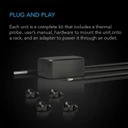
- AC Infinity CLOUDPLATE T9 3U exhaust fan unit
- Corded 6-ft thermal probe
- Corded 6-ft power supply (100–240V AC input)
- Rack mount screws
- Cage nuts
- User’s manual
Pairs Well With
Building or upgrading your rack setup? Here are some great companions for the CLOUDPLATE T9:
- Intake Fan for Complete Airflow: Pair this exhaust unit with the AC Infinity CLOUDPLATE T9-N (Intake) at the bottom of your rack for a full air circulation loop.
- Equipment Racks: Need a rack to house your gear? Browse our A/V Racks and Cabinets.
- Power Protection: Keep your entire rack safe with clean power from our Power Conditioners.
- Rack Shelves: Add non-rack-mount components to your setup with our Add-On Rack Shelves.
Features & Specifications
Cooling Performance
Powerful, Adjustable Airflow — Three fans deliver 60 to 300 CFM of airflow across six speed settings, so you can dial in exactly the right amount of cooling for your rack. At full speed, there’s enough airflow to cool a fully loaded server rack. At the lowest setting, it provides gentle air circulation for a lightly loaded home theater setup.
Exhaust Configuration — The fans are oriented to pull warm air out of the rack and push it away. Mount this unit near the top of your rack where heat naturally accumulates for the most effective cooling.
Whisper-Quiet Operation — At the lowest speed, the CLOUDPLATE T9 produces just 12 dBA of noise — quieter than a whisper. Even at maximum output, it reaches only 38 dBA, comparable to a quiet library. This makes it ideal for listening rooms, home theaters, and studios.
Intelligent Controls
Programmable LCD Thermostat — The front-panel LCD displays current temperature and fan speed. Set a target temperature and the system responds automatically, speeding up or slowing down as conditions change.
SMART Mode — AC Infinity’s automatic mode continuously monitors the thermal probe and adjusts fan speed in real time. No manual intervention needed once you set your preferred temperature range.
Safety & Convenience Features — Alarm alerts notify you of high temperatures. Fan failure triggers warn you if a fan stops. Display lock prevents accidental changes. Backup memory saves your settings through power interruptions. Three display brightness levels let you match the room lighting.
Build Quality & Design
Premium Aluminum Construction — The housing is solid aluminum with an anodized, light-brush finish. CNC-machined corners and chamfered edges give it a polished, professional appearance that fits right in with high-end audio equipment.
Long-Life Dual-Ball Bearing Fans — Three custom-engineered fans are rated for approximately 67,000 hours of operation. Dual-ball bearings allow horizontal or vertical mounting and provide smoother, quieter operation than sleeve bearings.
Expandability
Rear Expansion Port — Connect and control a second CLOUDPLATE unit or an AC Infinity rack roof dual-fan kit from the T9’s controller — no extra thermostat needed.
Quick-Reference Specifications
| Product Identification | |
| Manufacturer | AC Infinity Inc. |
| Model | AI-CPT9 |
| UPC | 819137020023 |
| Performance | |
| Design | Exhaust (rear) |
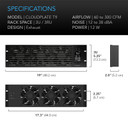
| Total Airflow | 60 to 300 CFM |
| Total Noise | 12 to 38 dBA |
| Static Pressure | 2.56 mm-H₂O |
| Fan Bearings | Dual Ball |
| Mounting Positions | Horizontal or Vertical |
| Fan Speed Settings | 6 speeds + SMART auto mode |
| L10 Life Expectancy | 67,000 Hours |
| Electrical | |
| Operating Voltage | 12V DC |
| Power Consumption | 12 W |
| Current | 1 A |
| Wall Adapter Input | 100 to 240V AC (worldwide compatible) |
| Environmental | |
| Operating Humidity | 35 to 85% RH |
| Operating Temperature | 0 to 158°F (0 to 70°C) |
| Dimensions & Mounting | |
| Rack Mount Size | 3U (three rack units) |
| Total Dimensions | 19.0 × 5.25 × 2.0 in. (48.3 × 13.3 × 5.2 cm) |
| Screw Hole Size | ⌀ 0.24 × 0.35 in. (⌀ 6.1 × 9.0 mm) Obround |
| Hole to Hole Distance | 18.2 × 2.25 in. (46.4 × 5.7 cm) |
| Display Size | 2.25 × 1.25 in. (4.7 × 3.2 cm) |
| Thermal Probe Length | 72 in. (6 feet) |
| Power Cord Length | 72 in. (6 feet) |
| Certifications | |
| CE Certified | Yes |
| RoHS Certified | Yes |
Frequently Asked Questions
What’s the difference between the CLOUDPLATE T9 (Exhaust) and the T9-N (Intake)?
The T9 and T9-N are identical in size, build, and features — the only difference is fan direction. The T9 (Exhaust) blows warm air out of the rack and should be mounted near the top. The T9-N (Intake) pulls cool air into the rack and should be mounted near the bottom. For the most effective cooling, you can use both together to create a complete airflow circuit.
How quiet is the CLOUDPLATE T9 at its lowest setting?
At the lowest fan speed, the T9 produces approximately 12 dBA of noise — that’s quieter than a whisper and essentially inaudible in a typical room. For context, a quiet bedroom at night is usually around 25–30 dBA. You can comfortably use this in a listening room or home theater without it interfering with your music or movie audio.
How does the SMART thermostat mode work?
In SMART mode, you set a target temperature using the LCD controller. The included 6-foot thermal probe monitors the temperature inside your rack. When the temperature rises above your target, the fans automatically speed up. When it drops back down, the fans slow down or stop. This keeps your equipment at a consistent temperature without any manual adjustment.
Will the CLOUDPLATE T9 fit my rack?
The T9 is designed for any standard 19-inch equipment rack and occupies 3U (three rack units) of vertical space. It uses standard rack-mount screw holes. Rack screws and cage nuts are included in the box. If you’re unsure about compatibility with your specific rack, give us a call at 800-942-0220 and we’ll help you figure it out.
Can I control additional fans from this unit?
Yes. The rear of the CLOUDPLATE T9 has an expansion port that lets you connect and control a second CLOUDPLATE unit or an AC Infinity rack roof dual-fan kit. The T9’s thermostat controller manages both units, so you don’t need a separate controller for the additional fans.
How do I install the thermal probe?
The thermal probe is a small sensor on a 6-foot cord that plugs into the back of the CLOUDPLATE T9. Place the probe near the equipment you want to monitor — typically close to your warmest component. The probe reads the ambient temperature and reports it to the controller, which then adjusts fan speed accordingly.
Does it need to be plugged into a wall outlet, or can I power it from my rack’s power strip?
The CLOUDPLATE T9 comes with a wall adapter that accepts 100–240V AC input and converts it to 12V DC. You can plug it into any standard outlet or power strip. The adapter is internationally compatible, so it works with power systems worldwide.
How does this compare to the smaller CLOUDPLATE T7 (2U)?
The CLOUDPLATE T7 is a 2U unit with two fans, while the T9 is a 3U unit with three fans. The T9 delivers more total airflow (up to 300 CFM vs. the T7’s capacity) and is better suited for racks with more heat-generating equipment. If rack space is tight and your cooling needs are moderate, the T7 is a great option. If you need maximum cooling or have a densely packed rack, the T9 is the better choice.
Can I mount the CLOUDPLATE T9 vertically?
Yes. The dual-ball bearing fans are designed to work in both horizontal and vertical mounting positions. This gives you flexibility to install it in whatever orientation your rack configuration requires.
Why Audio Advisor?
 40+ Years of Expertise — Since 1981, we’ve helped over a million music lovers find the right gear.
 60-Day Money-Back Guarantee — Take your time. Listen, enjoy, and make sure it’s right for you.
 Real Experts, Real Help — Our team is here to answer your questions at 800-942-0220, weekdays 9am–6pm EST.
 Free Shipping — On orders over $49, delivered to your door.
 Flexible Payment Options — Financing available so you can start listening now.
Want to learn more about protecting and organizing your audio equipment? Visit our Learning Center for guides, tips, and expert advice.


